Audioboo was suggested to me by a trusted colleague as simplistic and easy to use so I went online to check it out. As always she was right. It was very easy to set up and with a few clicks I was up and recording with my 2nd graders. I did have some problems with keeping them all recording, not worrying what the person next to them was doing while I was making sure everyone was set up, and some background noise of the person next to them recording, but that is not the fault of the technology :)
Once we had our practice run and decided we needed to record individually to get the best result it was very easy to get logged in and to the point where they could push record and then pause recording when done and I could be working with the rest of the kids in the room.
I was also able to have the kids pick a picture from our Iowa AEA Online iClipart Site to put with each of their boos too. (If I would have had more time I think we could have done a lesson on reading the directions aloud to each other and adding the clip art to the the boo. It is a fairly easy process of saving the picture to your computer and then uploading to the boo in edit mode.
The site is a public site and is meant to share your boo's with others, so be aware they do have an age limit of 13 for use. So I only created an account for myself and had the kids record under it. I also have a student who does not have permission to have his picture online so I had him use Audioboo to record and then I saved the file to my computer to listen to later. I did contact Audioboo about this and they suggested their app on Edmodo as that is a closed environment for students. I looked into it and the app is $4.99 on Edmodo. At this point I am not sure how much we would actually used it, but it is an idea for the future if we continue to make boos and we want to share with each other in a closed environment.
You can also make boards of your boos to keep them organized. In this case I created a Winter Olympics Board and put all of the boos on the board.
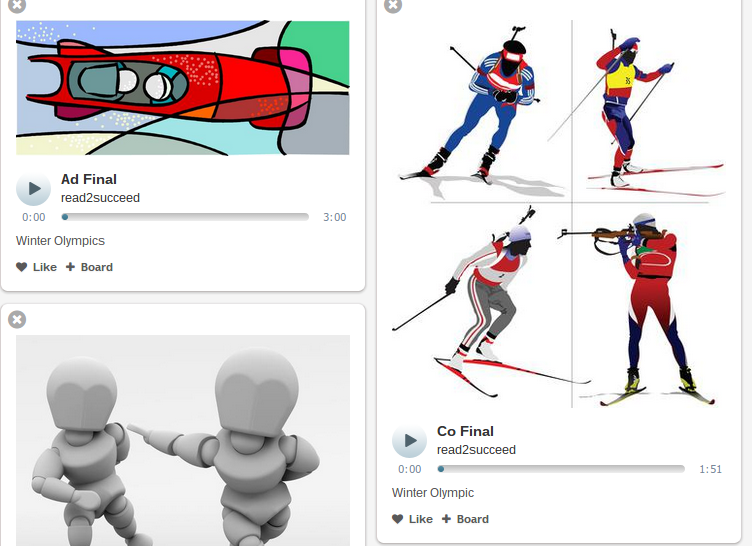
You can then share the board with a link on the social media sites of Facebook or Twitter or via email or QR code.

You can also embed the link like I did below and it will put it on your website or blog -
The fluency cards I picked turned out needing more practice than I first anticipated, the mid-west winter happened, and we required a practice and final recording (which I should have anticipated but had too much wishful thinking I guess) so we only got one set of cards recorded. I hope to make this a weekly part of our lessons so we get in the routine of recording and listening each week and hopefully 'hear' our growth over our time together. I would also like to share them with parents, teachers, and other classmates so they can listen as well. I might also look into having a page on my website with the fluency cards so kids can pull them up to listen and follow along on the cards to 'hear' how they did. Or I found this Fluency Evaluation Freebie that they can fill out when they listen to their recordings and we can discuss together.
Before you close the 'page' comment below about programs you use to record your students and what you do with the recordings.

